The full VentCRM tour
Every screen below is the live product running on demo data: your day in the truck, what your customers see, and the office on the desktop. Then everything that’s new, and the full feature list.
A day in the truck, screen by screen
Every screenshot below is the live product running on demo data — the same system Vent Pro NYC uses on real jobs every day.
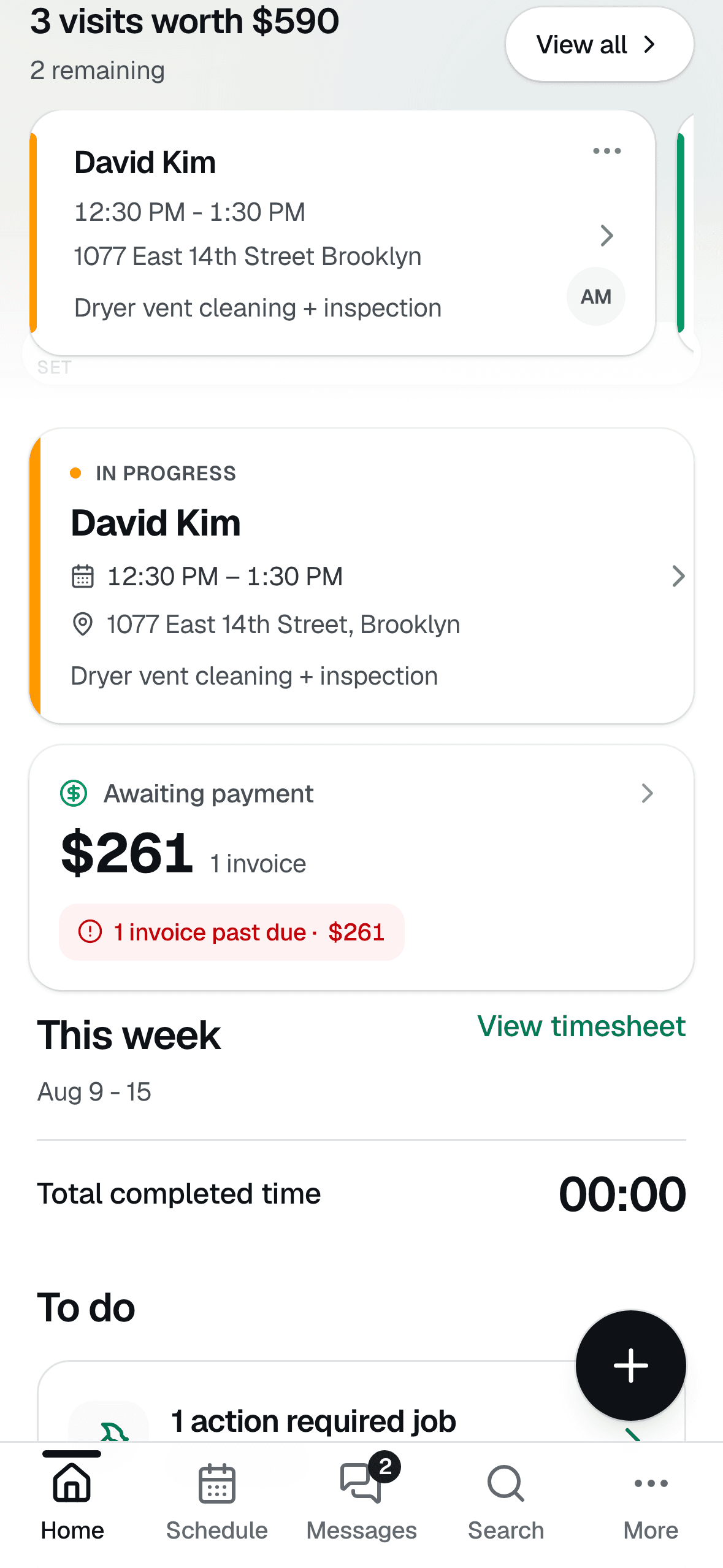
Your day on one screen
Open the app and see today's visits, what they're worth, who still owes you, and what needs action — then clock in and go. No laptop, no office stop.
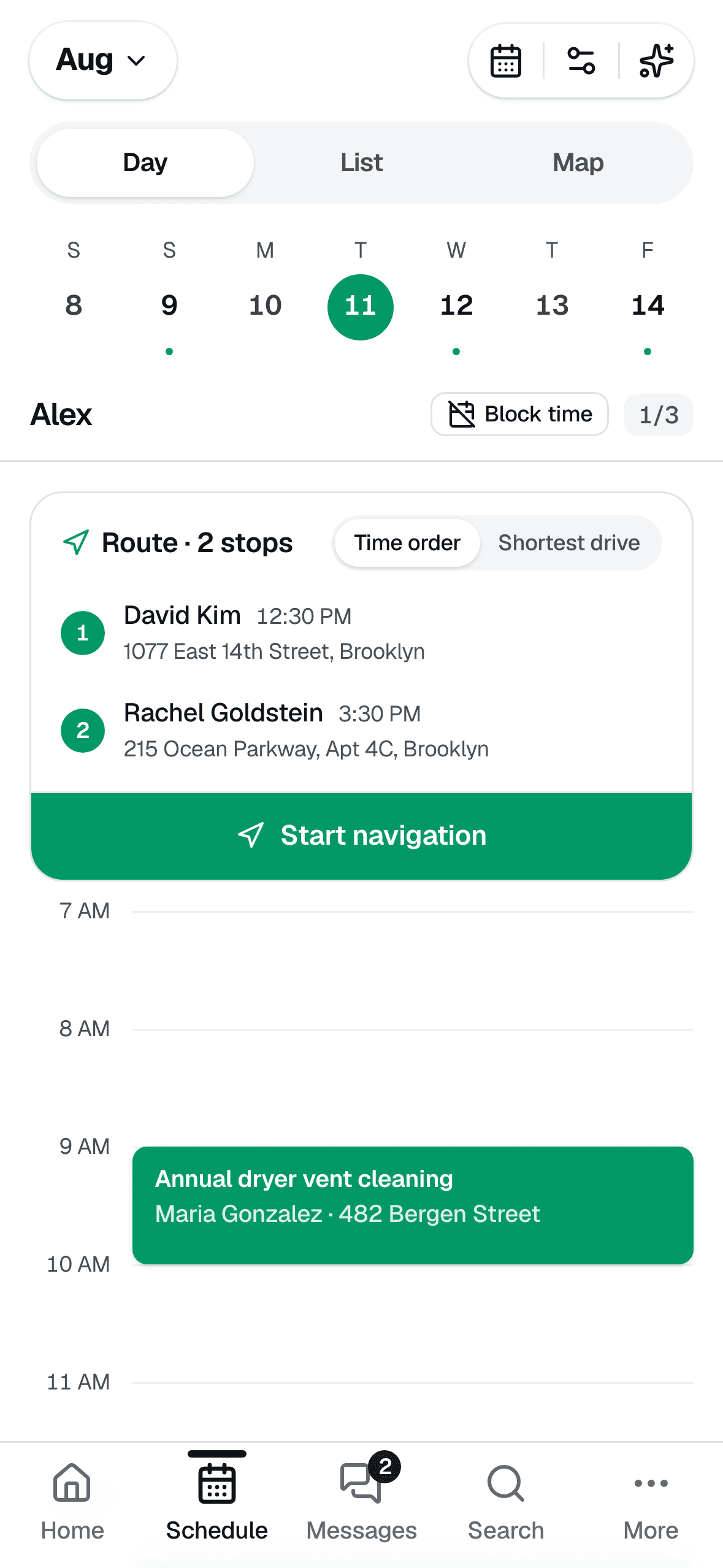
A schedule that plans the route
Day, list, and map views with the drive built in — order today's stops by time or shortest drive and hit Start navigation. Every job also carries GPS directions and a Google Street View photo of the building, so you never circle the block.
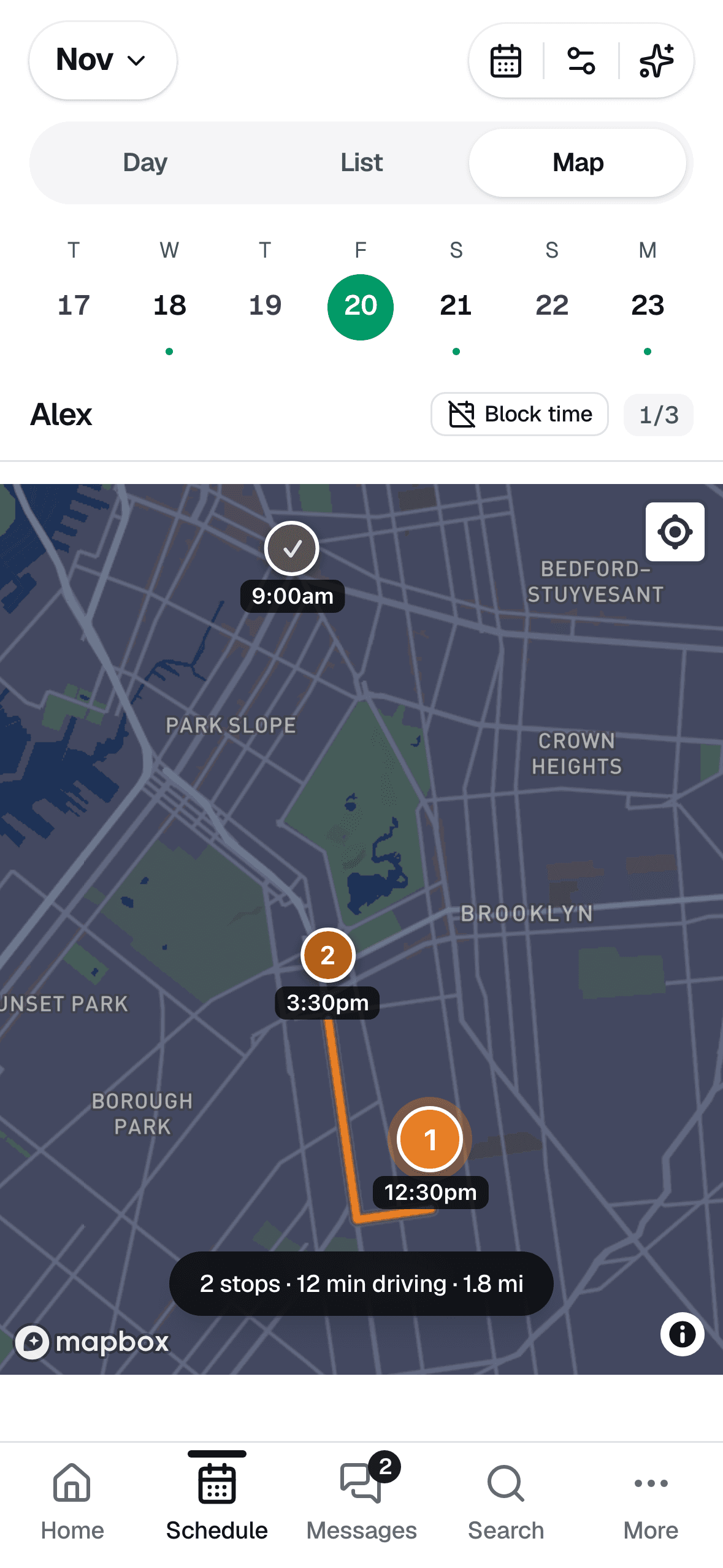
Real drive times on the map
Today's stops on a map with the route drawn and the actual driving time between them — “2 stops · 12 min driving.” See where the day takes you before you leave the driveway.
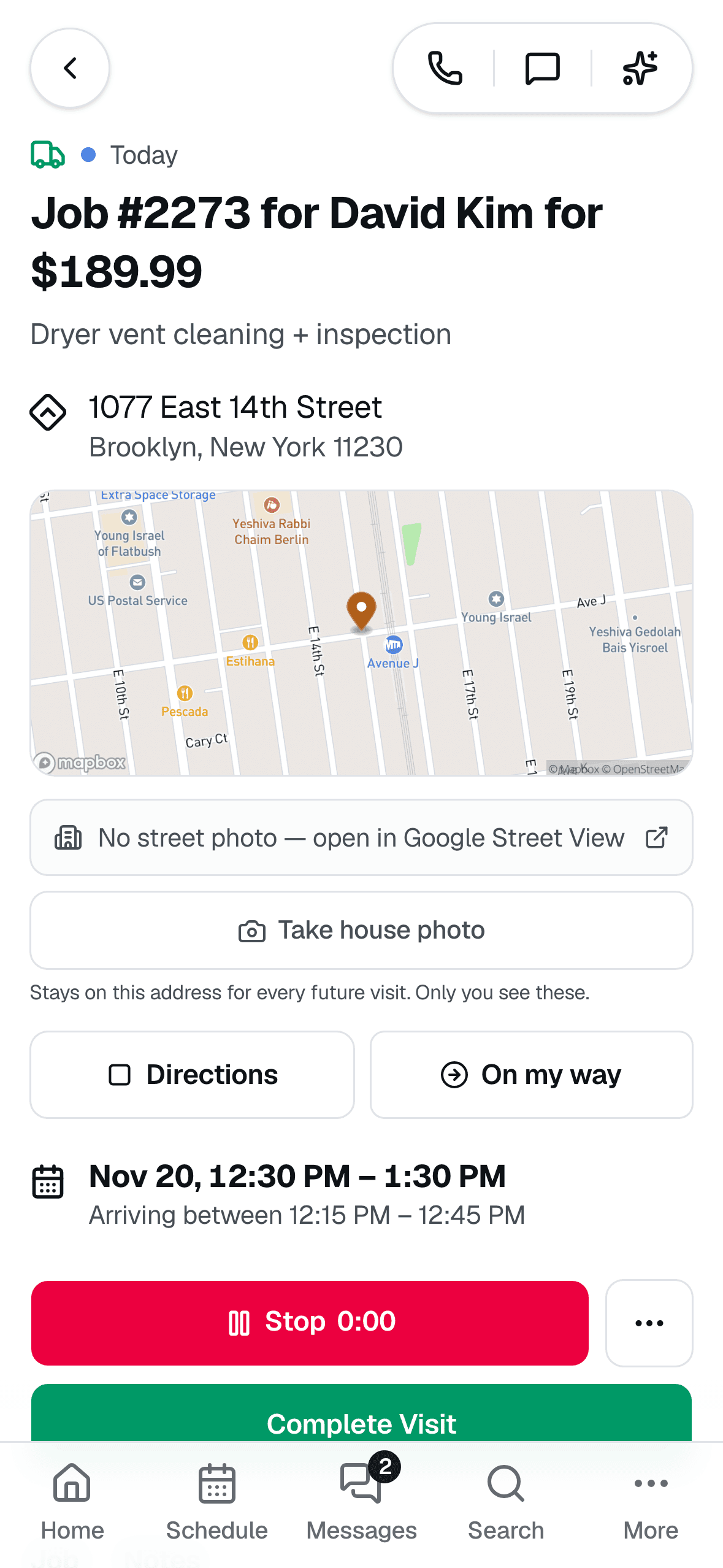
The whole visit on one screen
Address, map, directions, and a one-tap “On my way” that texts the customer a live tracking link. Start the clock, add photos, airflow readings, and voice notes, then complete the visit.

Invoice from the driveway
Turn the finished job into an invoice with line items and tax, then collect on the spot — card, payment link, or text it over. Cash, check, Zelle, and Venmo get recorded too, and card payments can carry a tip.
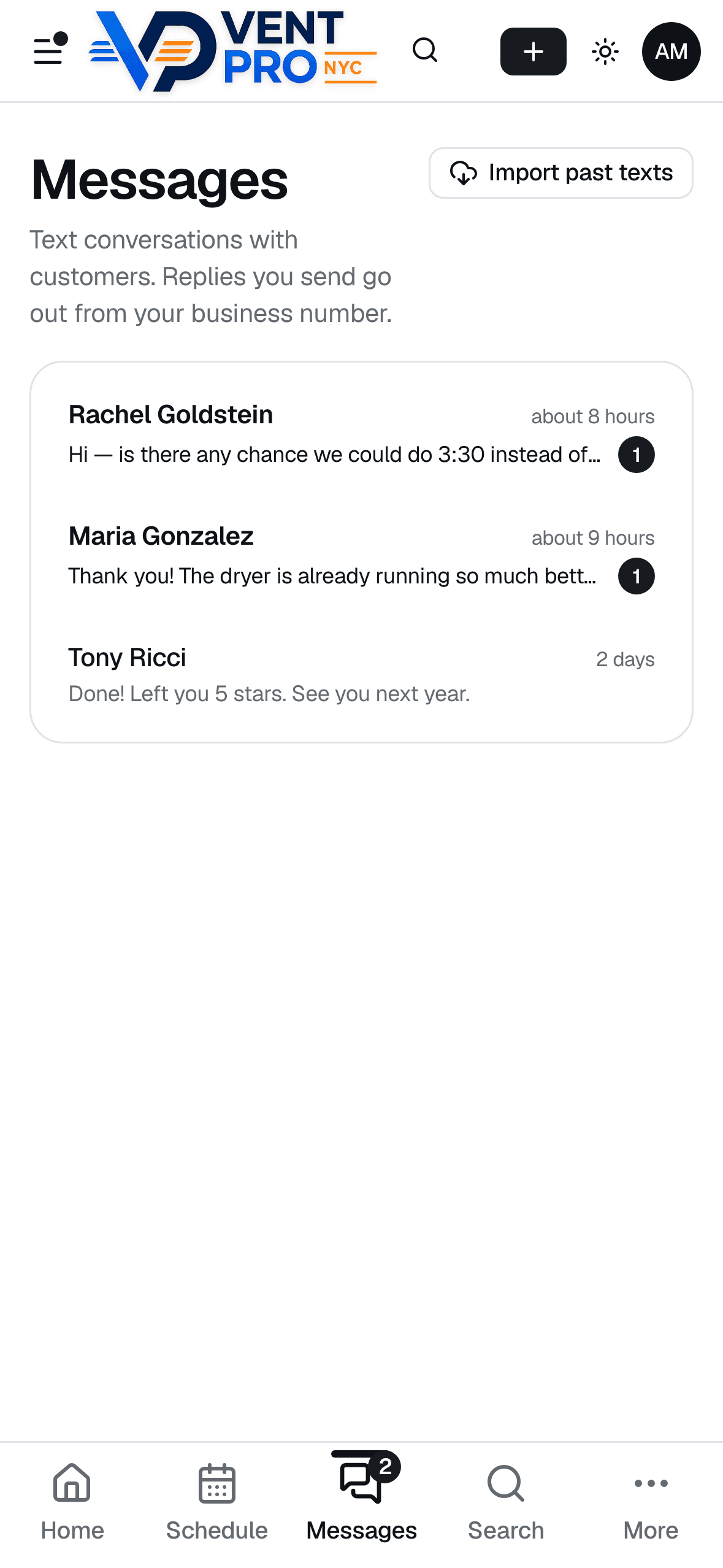
Real two-way business texting
Confirmations, on-my-way texts, and reminders go out automatically from your business number — and when customers text back, replies land in one inbox with unread badges, not your personal phone.

Google reviews on autopilot
The moment an invoice is paid, the system texts your customer a thank-you with your Google review link — automatically, or with one tap from their profile whenever you prefer. Reviews stop depending on you remembering to ask.
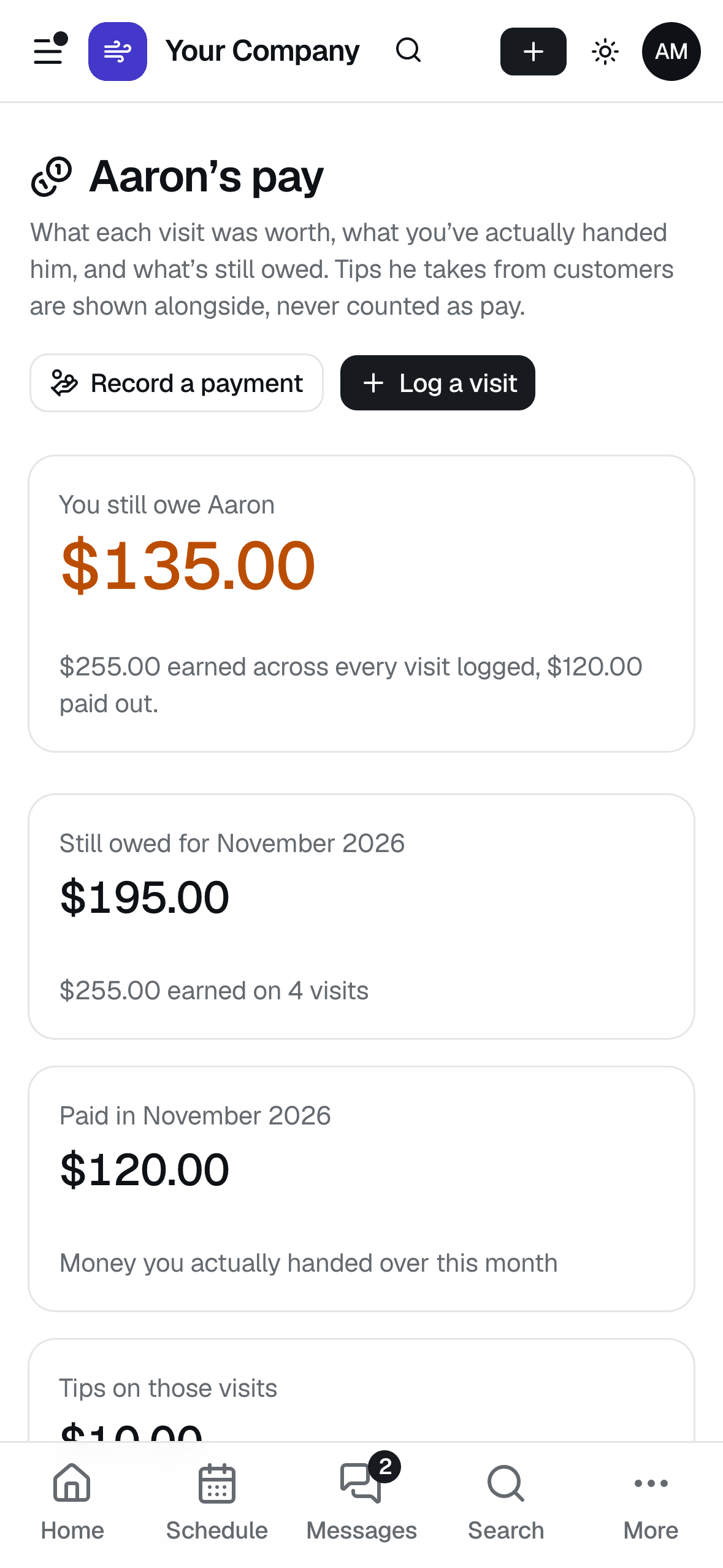
Know what you owe your tech
Log what each visit earned your technician and every payment you hand over. The running balance is right on top — what you still owe, or “All square.” Tips are tracked separately, never counted as pay.
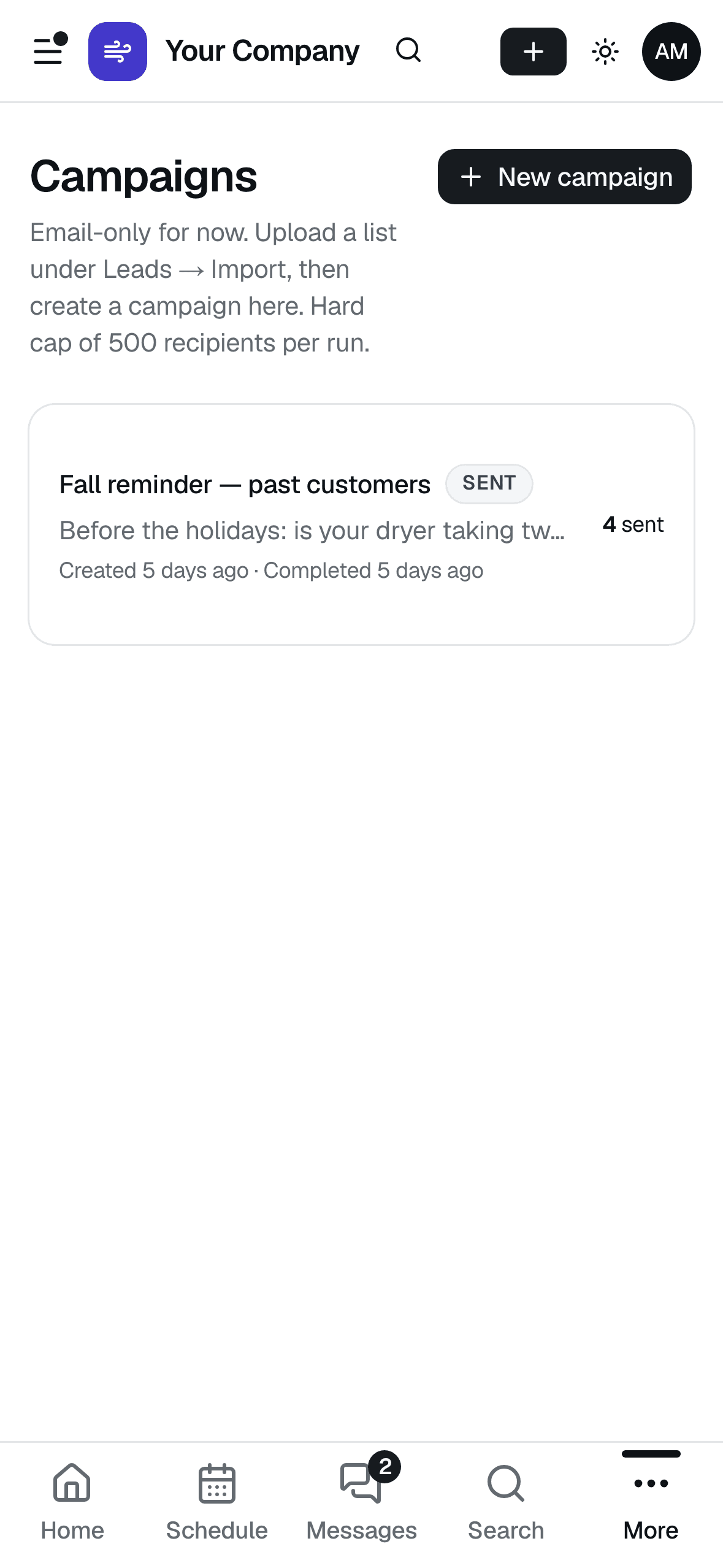
Email your past customers
Send a seasonal reminder to past customers, leads, or anyone due for a cleaning — pick the audience, write it once, and see how many went out. Unsubscribes are handled for you.
What your customer sees
The half of the system your customers touch is what wins the next job — booking with a deposit, an appointment page and live map, receipts with photo and airflow proof, and quotes they can approve from the couch. It all carries your company’s name and logo.

Booking online, deposit included
Customers book on your website in about a minute — your services, your prices, only the times you're actually open. A deposit through Stripe holds the slot so no-shows stop costing you.
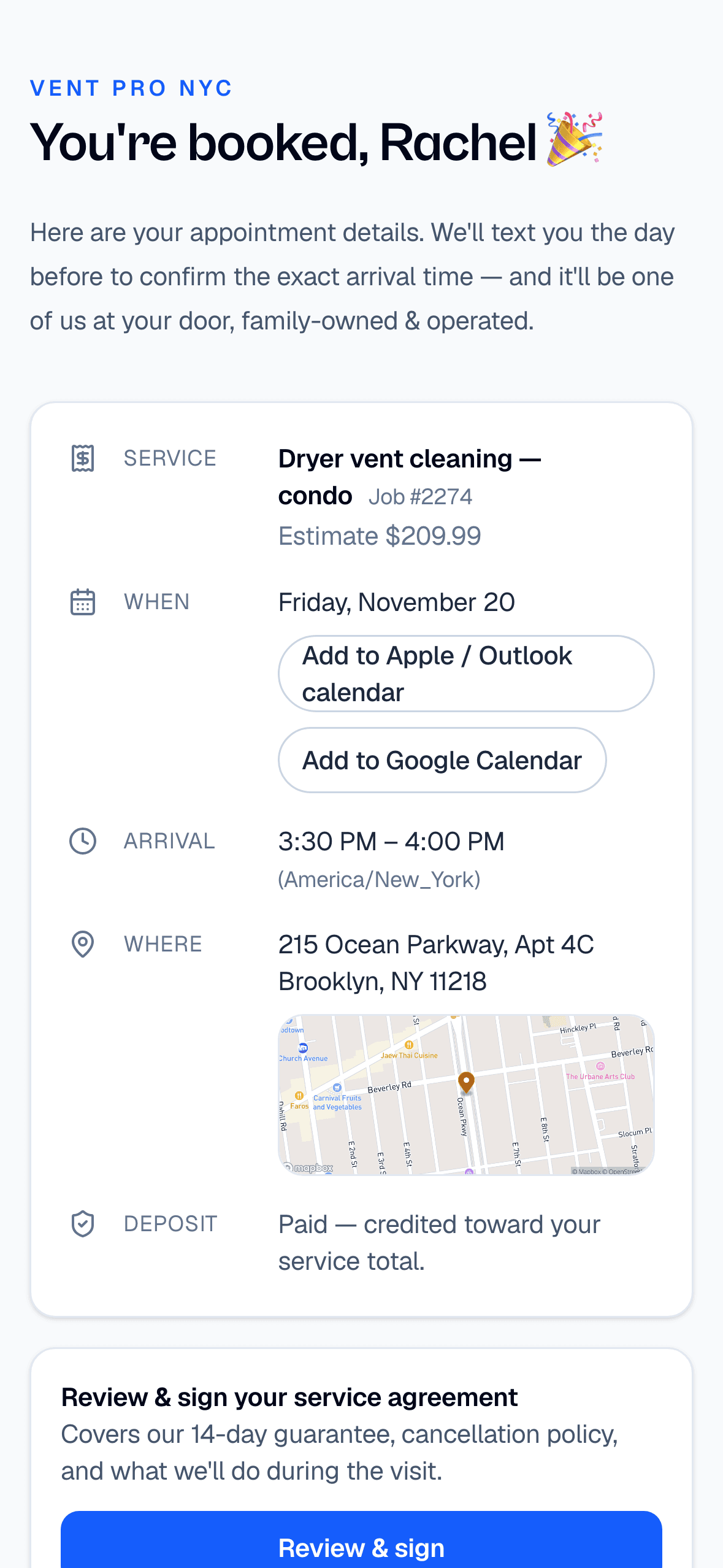
An appointment page they keep
One link with everything: service, date, arrival window, address, and deposit status — plus Add to Calendar buttons, the service agreement to sign, and a way to reschedule themselves up to 24 hours ahead.

A live map when you're on the way
Tap On my way and the customer's text links to a live map of your truck with a real ETA — “Arriving in about 14 min.” No more “where are you?” calls.
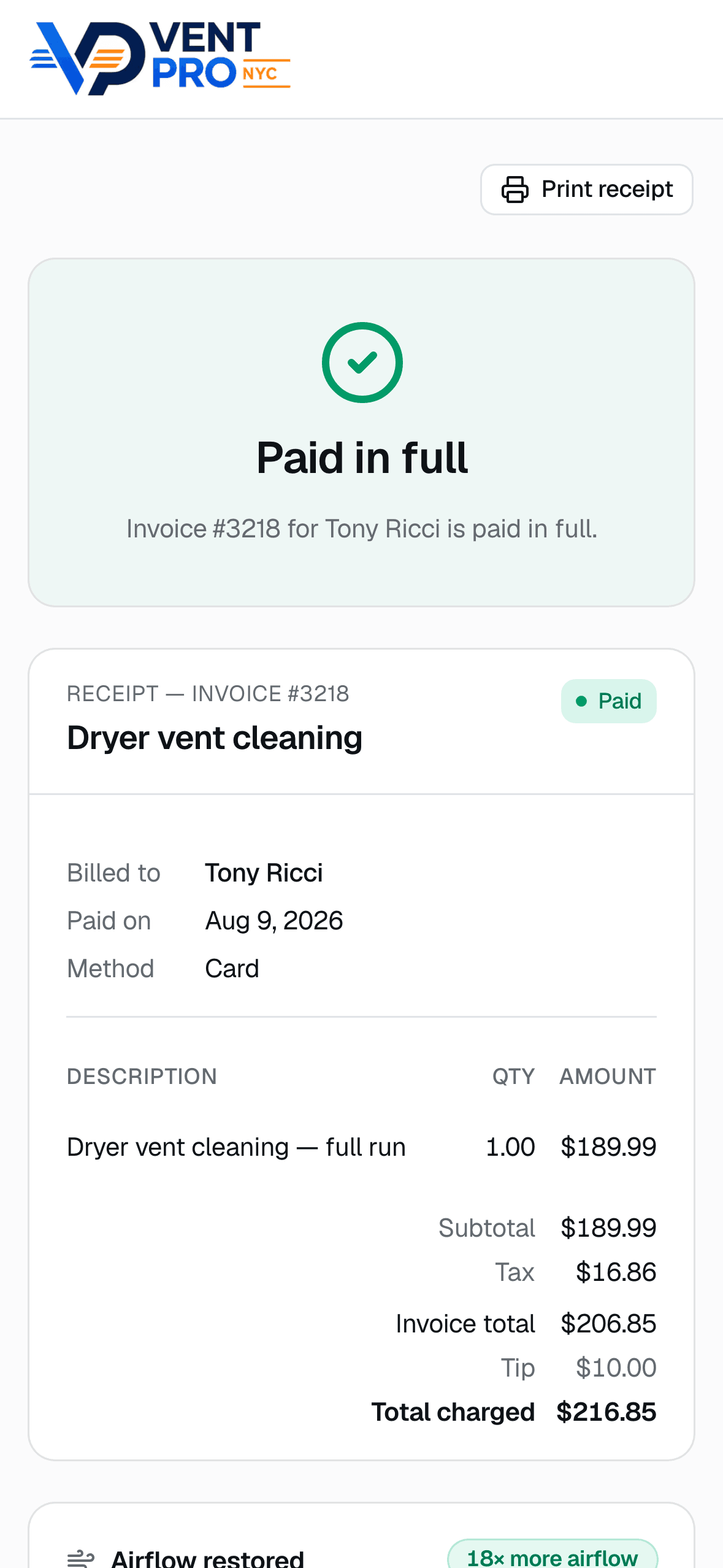
A receipt that closes the loop
Paid in full, itemized, with tip — pulled up from a link in their text messages, no login. It reads like a receipt from a company ten times your size.
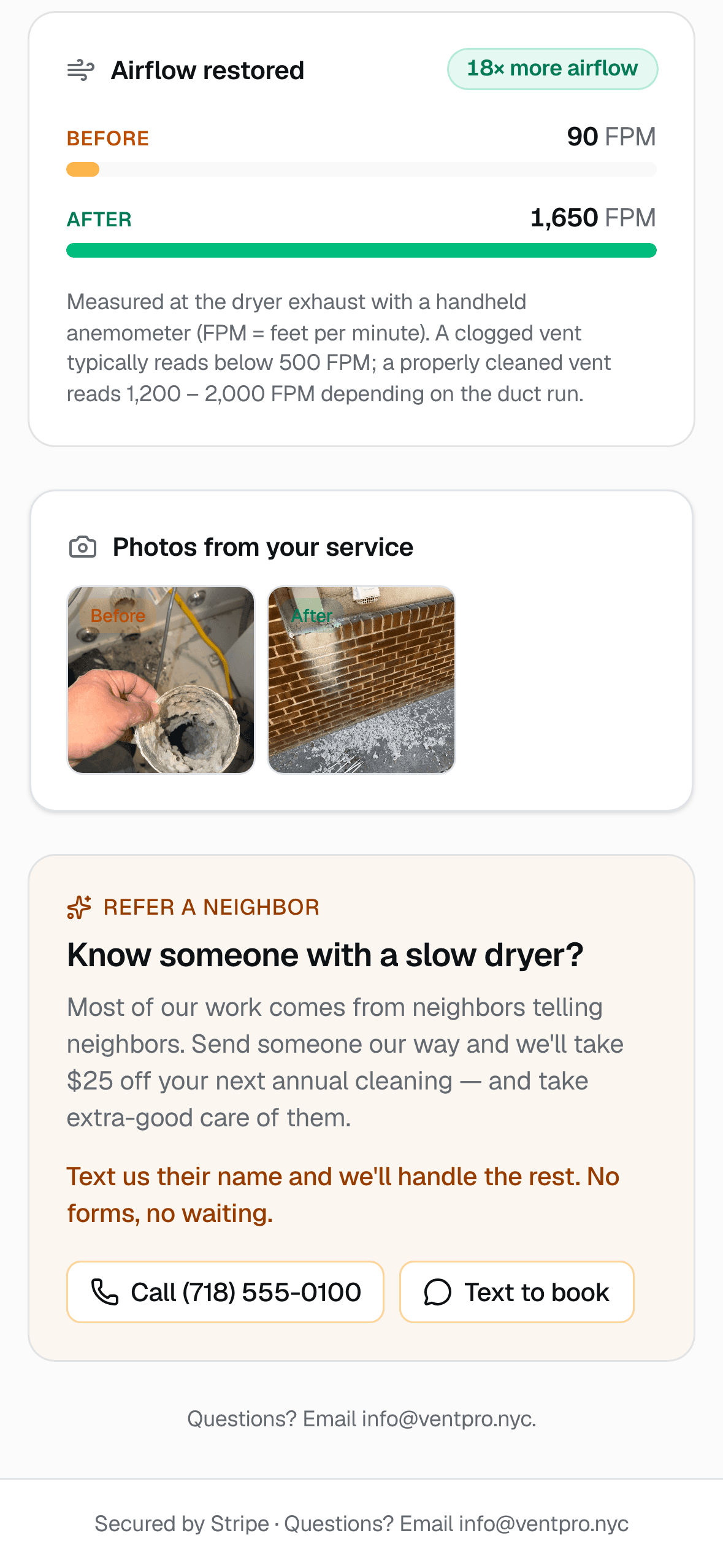
Proof of work, not promises
Every receipt can carry before/after photos, video from the visit, and the airflow readings you measured — 90 FPM in, 1,650 FPM out, “18× more airflow.” Customers screenshot this and send it to their neighbors.
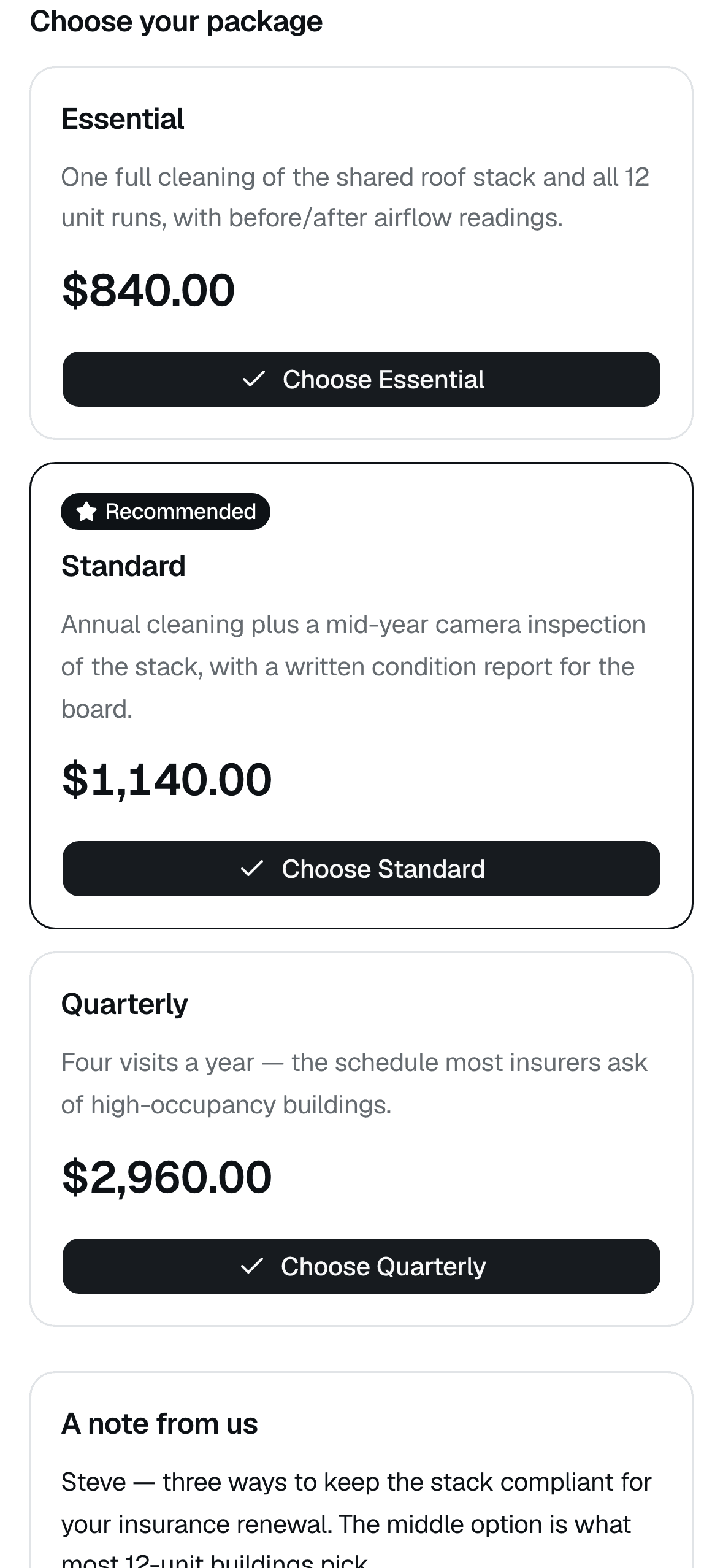
Quotes customers approve from bed
Send a link with up to three tiers — Essential, Standard, Quarterly — with one marked Recommended. They tap a button, you get notified, the job is won. No PDFs, no printing, no chasing.
Ready to run your day on it?
And a real office on the desktop
For the evenings when you do sit down at a computer.
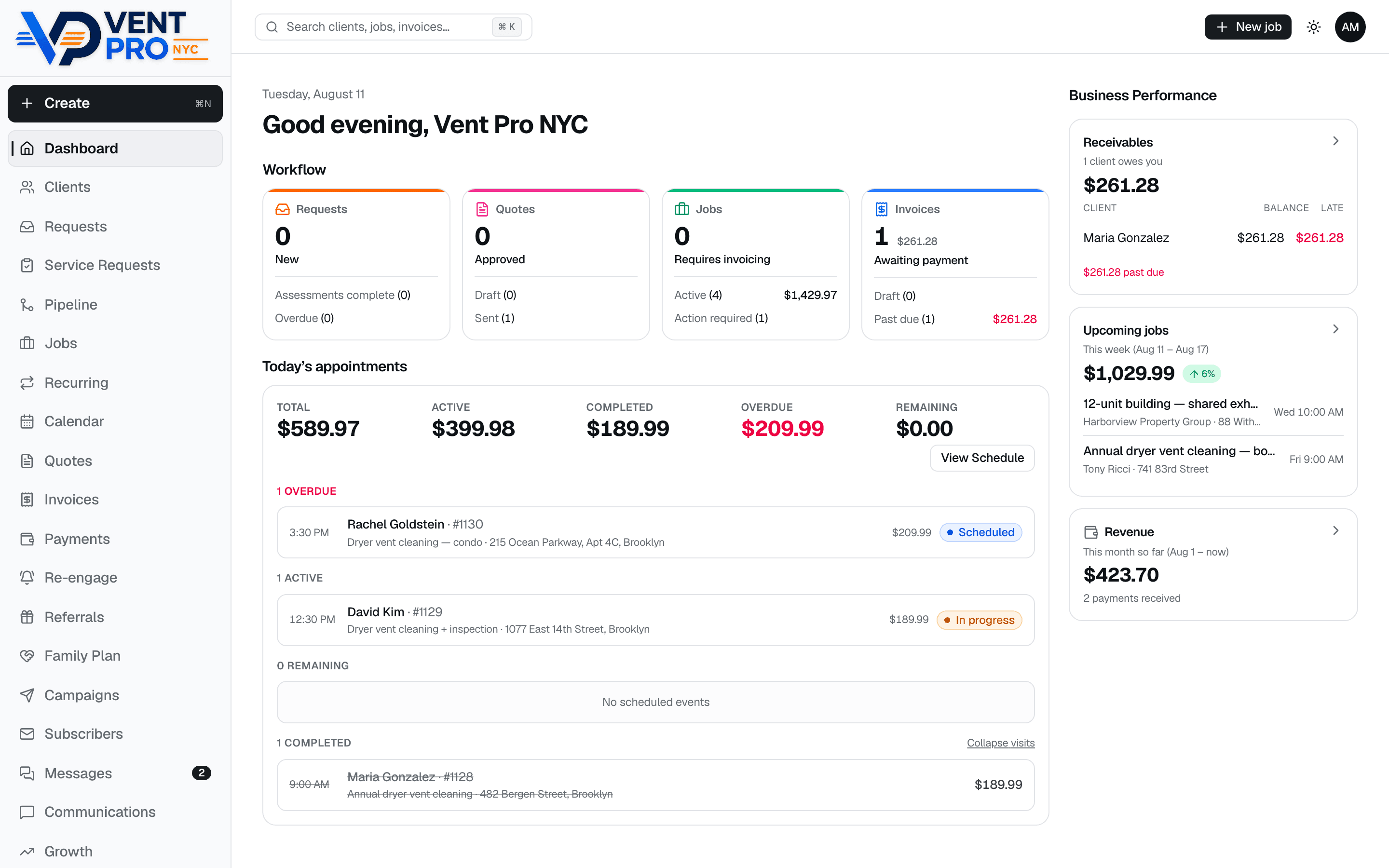
The whole business on one screen
Receivables with who's late, this week's pipeline, month-to-date revenue, and today's appointments with live statuses.
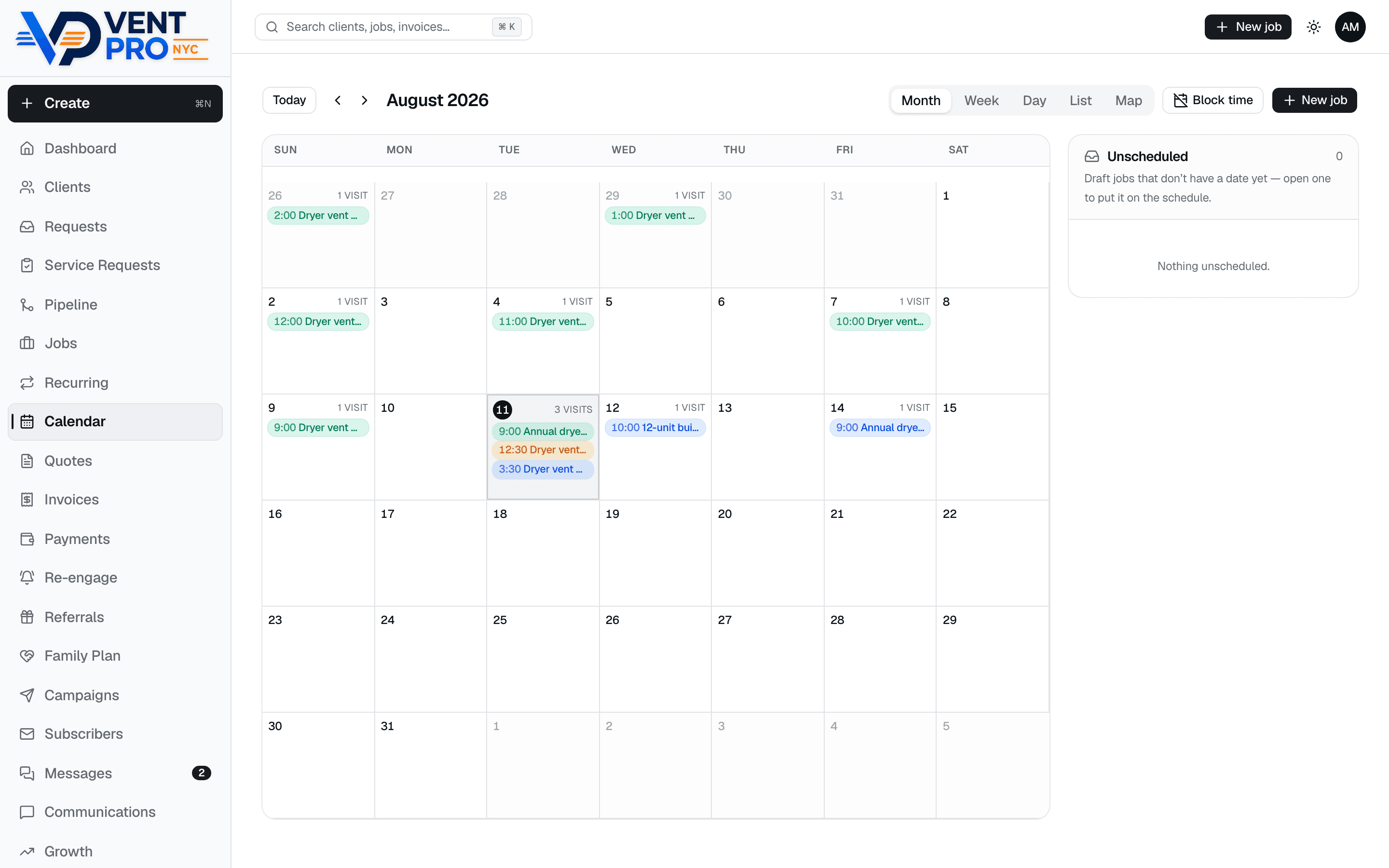
A calendar that runs the month
Month, week, day, list, and map views, color-coded by status, with drafts parked in an Unscheduled tray until you slot them.
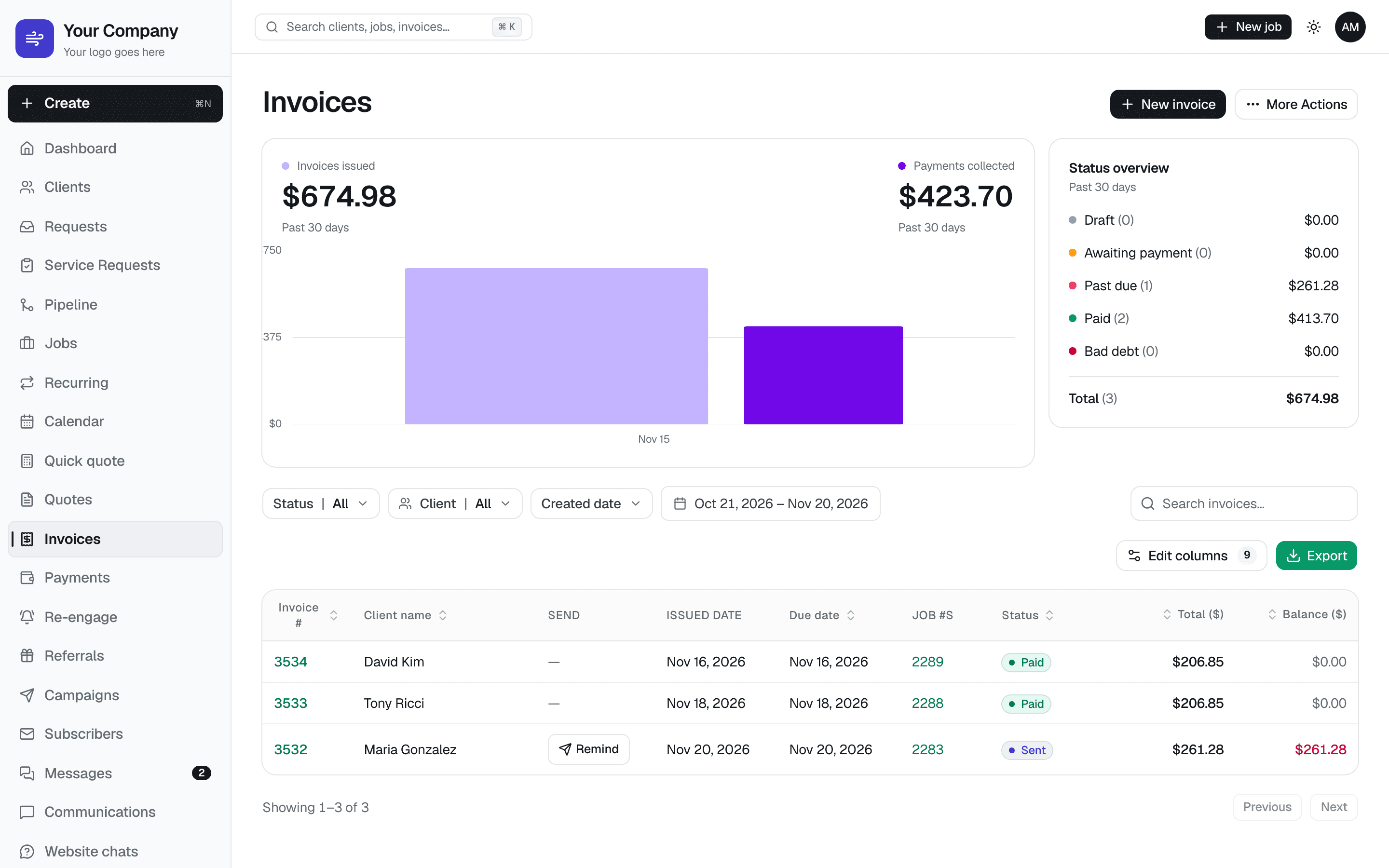
Know exactly who owes you
Every invoice with its status — paid, sent, past due — next to a chart of what you billed versus what you collected. One click sends a reminder, and the whole list exports to CSV.
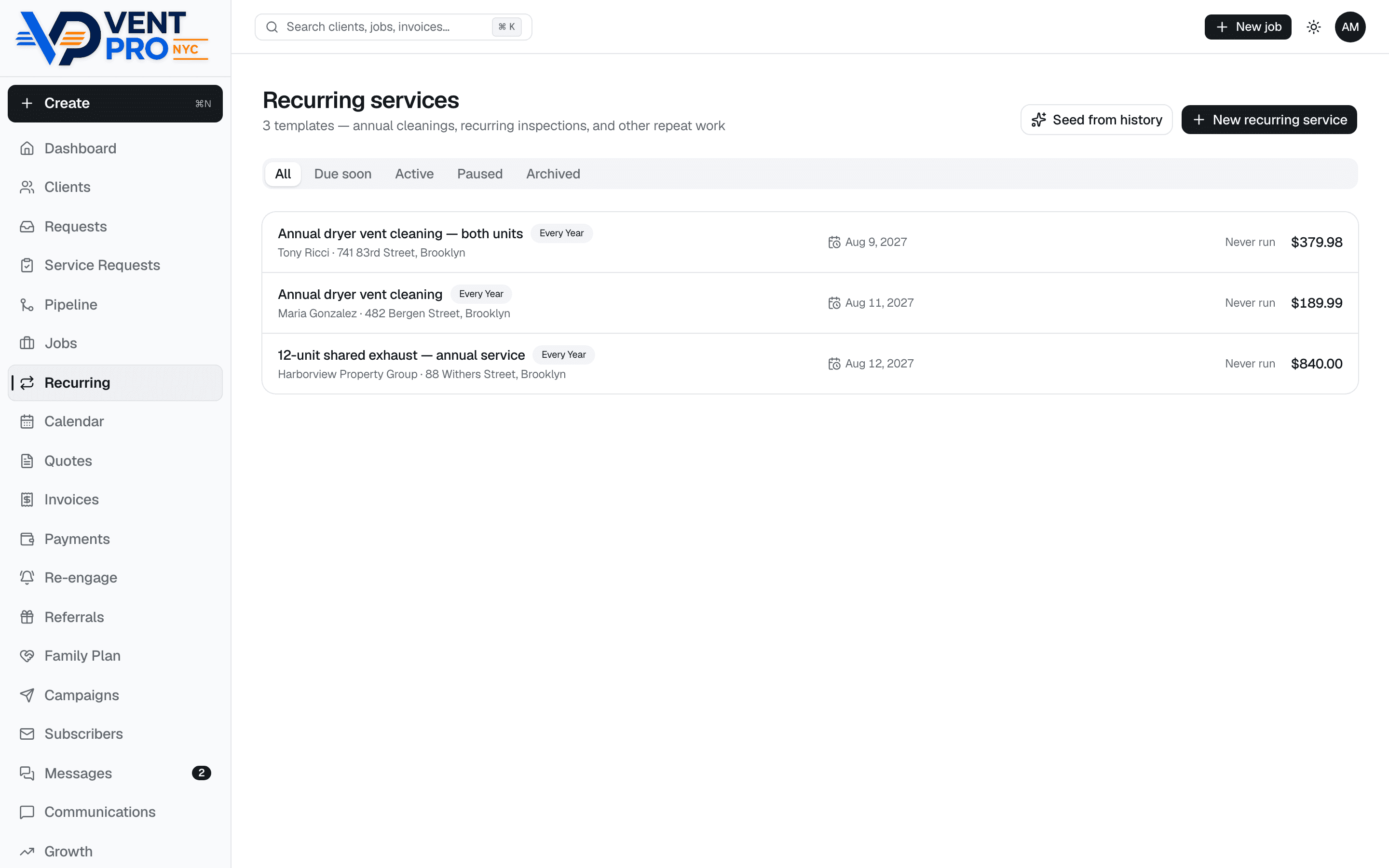
Annual re-booking on rails
Vent cleaning is a yearly service — every finished job can arm next year's template, and reminders go out on their own 30 days before it's due. Your customer list quietly refills your calendar.
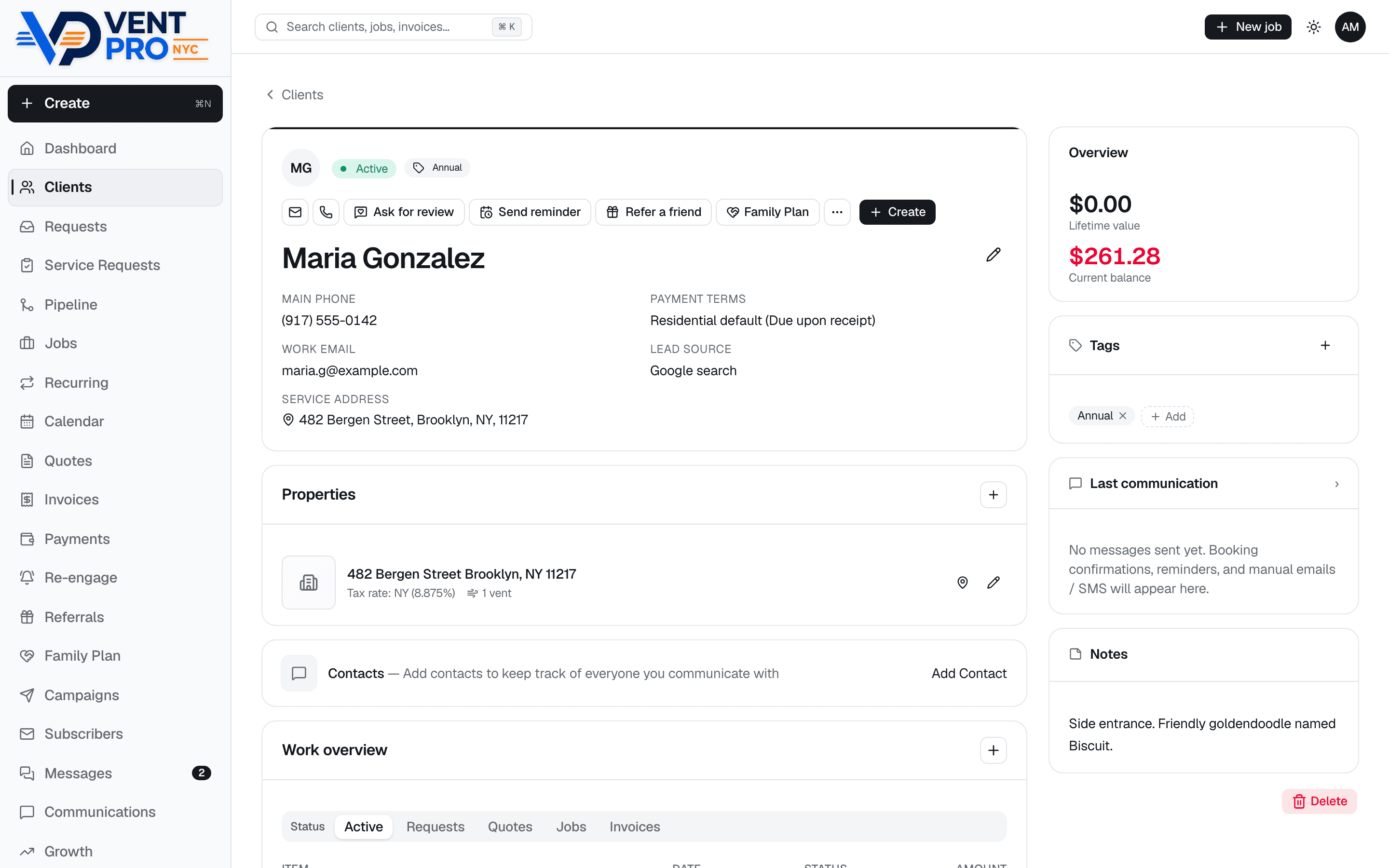
Customer records that make you look sharp
Gate codes, dog names, roof access, lifetime value, tags, notes, and every job, quote, and invoice — plus one-tap Ask for review, Send reminder, and Refer a friend right from the profile.
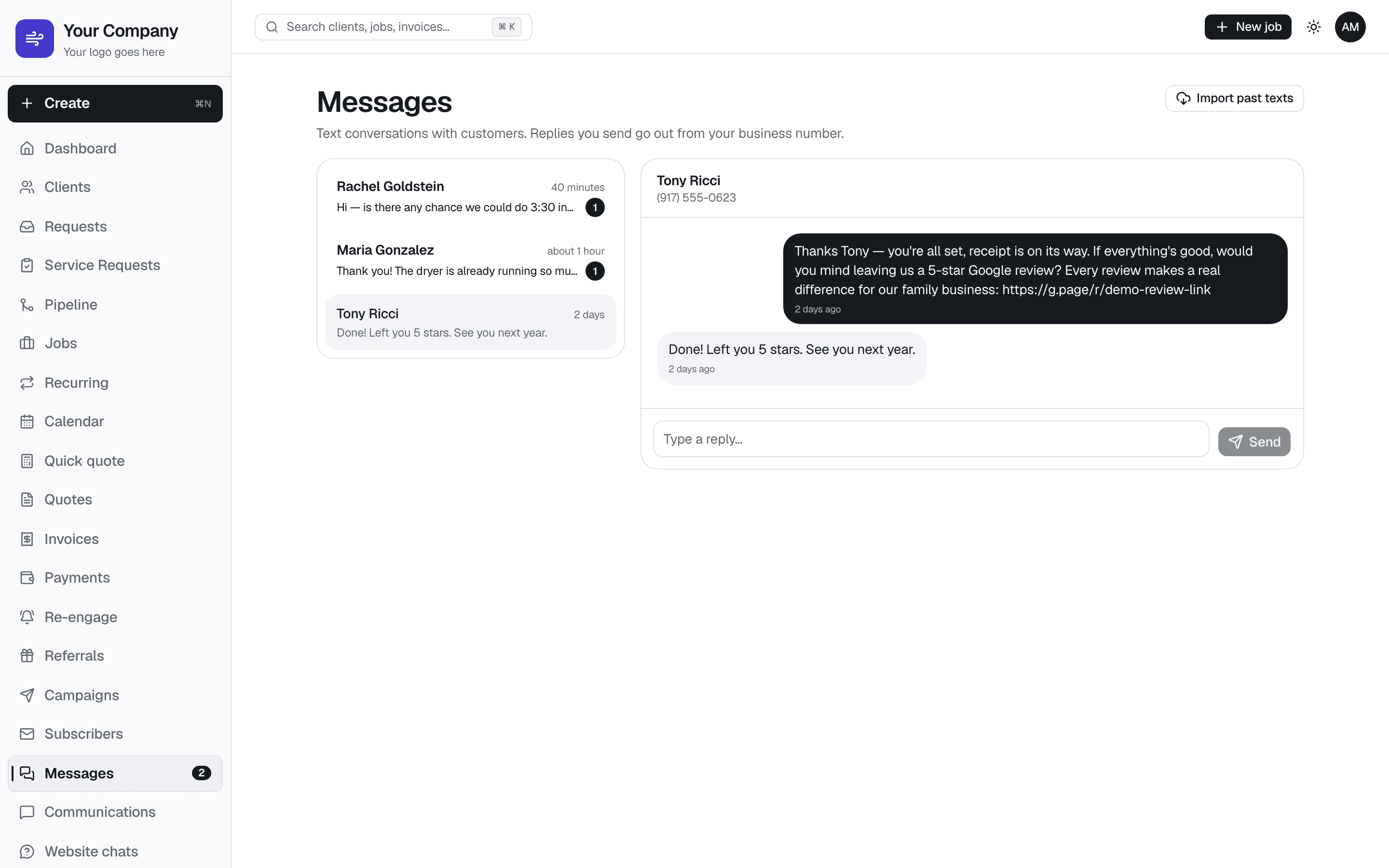
Every customer text in one inbox
Two-way texting from your business number, on the desktop too — unread badges, full conversation history, and replies that go out from the company, not your personal phone.
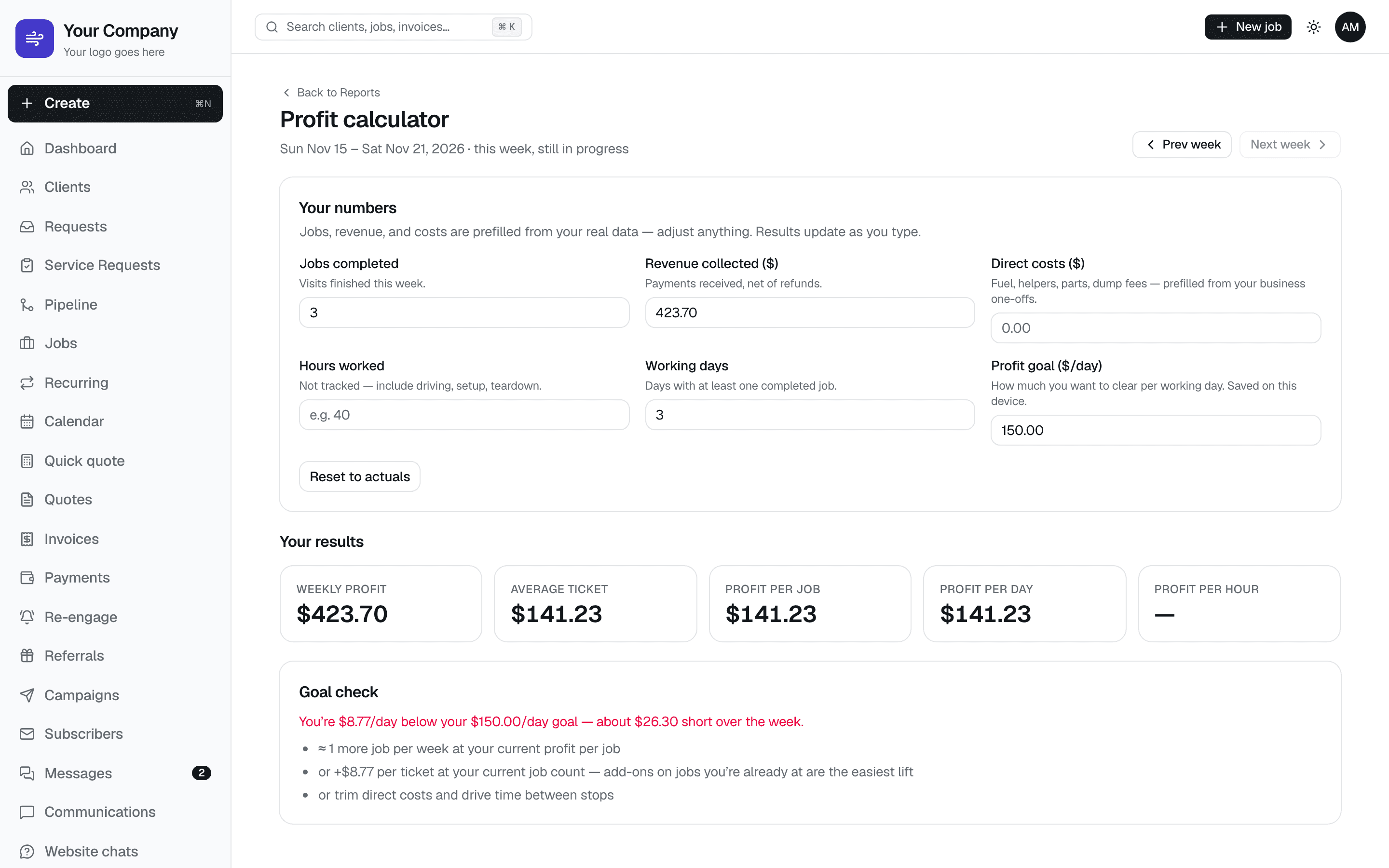
Is the week actually profitable?
The profit calculator fills in this week's jobs, revenue, and costs from your real data, then shows profit per job and per day against your daily goal — and what it would take to close the gap.
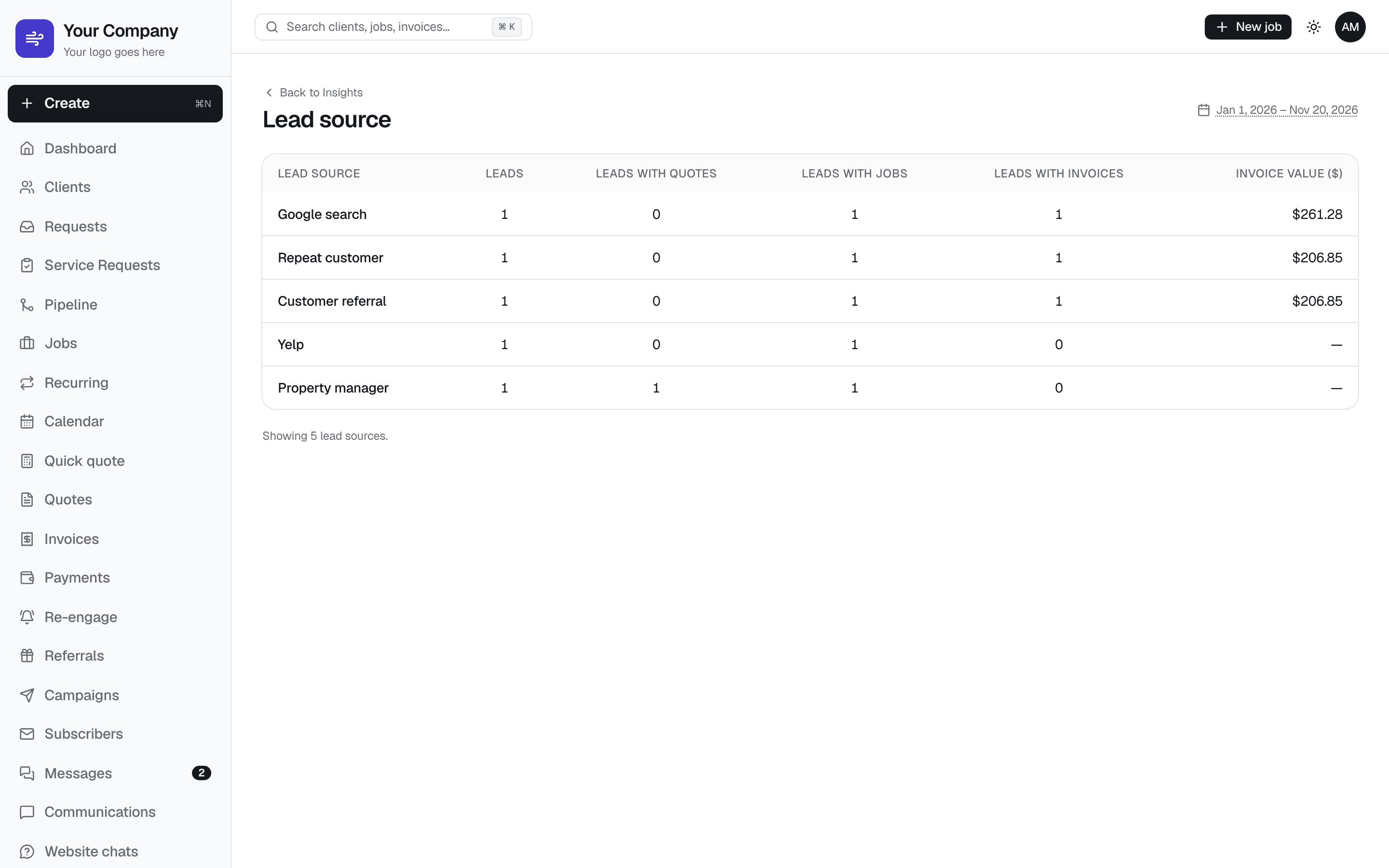
See where every customer comes from
The lead-source report lines up Google, Yelp, referrals, repeat customers, and property managers against the jobs and invoice dollars each one actually produced. Online bookings are tagged automatically, so you know which marketing pays for itself.
New this fall
It keeps getting better
Because the system runs a real company every day, new tools ship when the truck needs them. Everything here was added since VentCRM launched in August — and it’s all in the live demo.
Live “on my way” tracking
Tap On my way and the customer's text carries a link to a live map of the truck with a drive-time ETA. Back at the office, your schedule map shows where each tech is driving.
Route map with real drive times
Today's stops on one map, ordered by time or shortest drive, with the minutes between each stop worked out from real roads.
Customers reschedule themselves
The appointment page lets a customer move their own visit into an open slot, up to 24 hours ahead. No phone tag, and the calendar stays right.
Block time off
Truck at the shop, a half day, a holiday: block it on the calendar and online booking stops offering those times on the spot.
Crew pay ledger
Log what each visit earned your technician and every payment you make. The screen shows the running balance — what you still owe, or “All square.”
Lead-source report
Every online booking is tagged with where the customer came from — Google, Yelp, a referral — so you can see which marketing pays for itself.
Email campaigns
Pick an audience (past customers, leads, people due for a cleaning), choose a template, and send. Unsubscribes are handled for you.
Several addresses per customer
Landlords and property managers keep every building under one client, each with its own access notes, and you pick the address when booking.
Calendar everywhere
Booking confirmations carry an add-to-calendar button, and your own schedule syncs to Google or Apple Calendar through a private feed.
And the list keeps going
Everything below is built and running today — no roadmap asterisks.
- Online booking on your website, with a $50 deposit through Stripe so slots stop being held for free
- Automatic day-before appointment reminders by text and email
- One-tap “On my way” texts with your ETA
- Google review request texted automatically after every paid invoice — or sent manually with one tap
- Before/after photos AND video attached to jobs and shown on customer receipts
- Airflow readings (FPM) before and after, with a “restored 18×” badge customers understand
- Google Street View photo, GPS directions, and gate/access notes on every job
- Good/better/best quotes customers approve from a link — no PDFs
- E-signed service agreements with a signature pad, stored per job
- On-site inspection checklists, ported from the routine you already run
- Annual re-booking templates with automatic “time for your cleaning” reminders
- Payment recording for card, cash, check, Zelle, and Venmo — with tips on card payments
- Stripe payout tracking: fees, net amounts, and when money lands in the bank
- Automatic payment reminders for overdue invoices, throttled so they never nag
- Client records with lifetime value, tags, dog notes, and full history
- Technician logins with limited access — the schedule, their visits and invoices, and the customer text inbox
- Live “on my way” map your customer can open from the text, and every tech's dot on your schedule map
- Route map with real drive times between today's stops
- Customers reschedule themselves online, with a 24-hour cutoff you set
- Add-to-calendar on booking confirmations, plus a calendar feed of your schedule for Google or Apple Calendar
- Block off time — truck service, a day off — and online booking stops offering it
- Several service addresses per customer, for landlords and property managers
- Email campaigns to past customers, with audiences, templates, and one-click unsubscribe
- Lead-source report: where every customer came from, with online bookings tagged automatically
- Crew pay ledger: what each visit earned your tech, what you've paid, what you still owe
- Sell parts and add-ons on the visit from a tap menu, straight onto the invoice
- Voice notes on the visit screen — talk instead of typing with gloves on
- Refunds recorded on the invoice, and $0 warranty return visits that settle themselves
- Signed agreements keep the exact wording the customer signed, printable as a PDF
- Booking page in Spanish, Russian, and Chinese
- Push notifications for new bookings, replies, and payments
- Installs as an app on iPhone and Android — no app store needed
- Referral links, campaigns, and a needs-attention feed for jobs that stall
- Your data exports to CSV anytime — it's yours
Get your own VentCRM
Sign up online in a few minutes — no sales call. Pay the $750 setup and first month, tell me about your business, and I’ll email you when your system is ready.
Rather talk before you pay? Call or text me at (718) 541-5567, Sunday–Friday, 9 AM–5 PM (Eastern).
VentCRM is operated by Vent Pro NYC, Inc. That’s the name you’ll see on the secure Stripe checkout page.
Customer service: call or text the owner at (718) 541-5567, Sunday–Friday, 9 AM–5 PM (Eastern).